Home › Guides › Copy a look from a reference
How to Copy a Look From a Reference Photo
Short answer: Pick a reference photo whose color and tone you love, then reproduce that recipe on your own shot using real controls — white balance, curves, HSL, wheels. Fimii's AI look-match does the first pass for you by setting those sliders, and it never repaints your image, so the result is honest and fully editable.
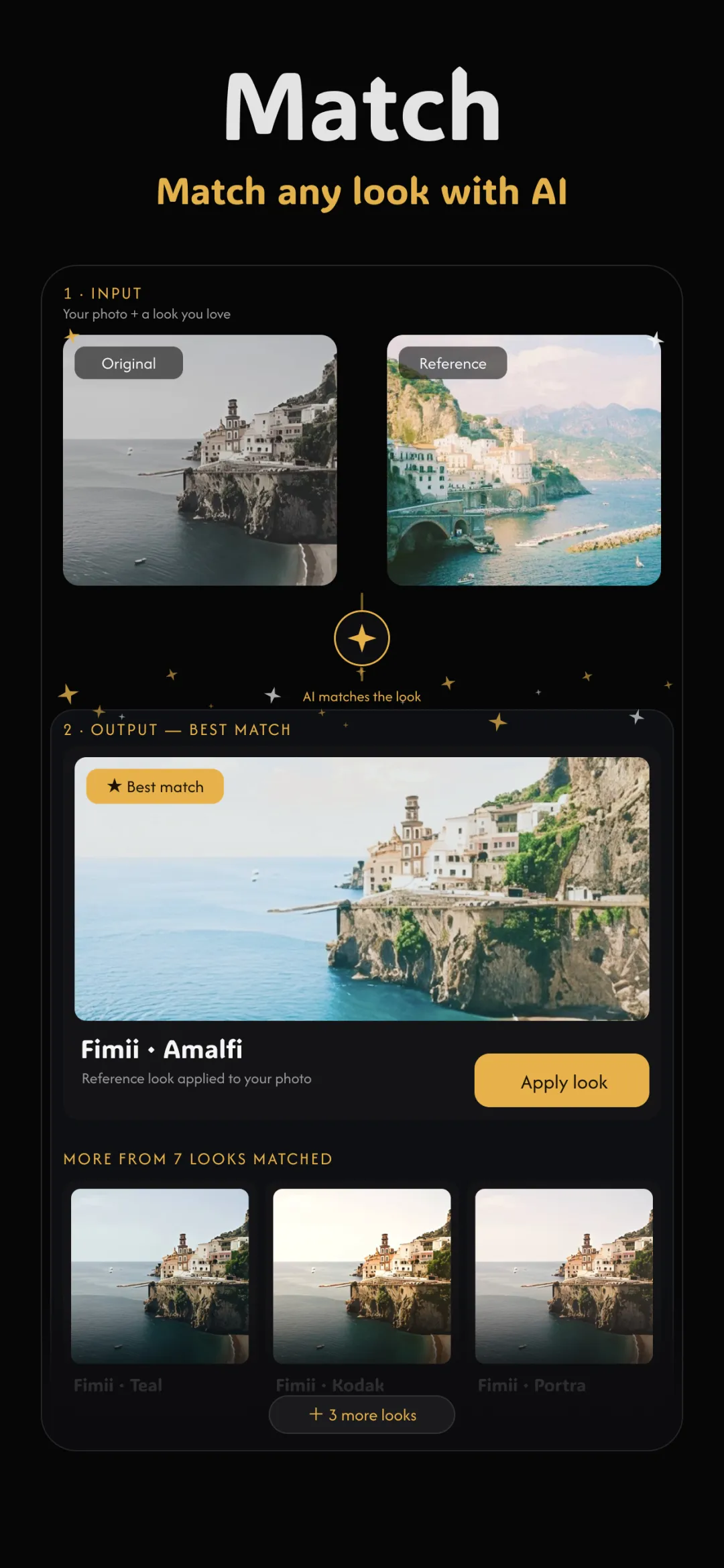
Finding a photo whose color you adore and wanting that on your own shot is one of the most common editing goals there is. The trick is to copy the look — the color and tone recipe — not the actual pixels of the reference. Done right, this is exactly how professionals work, and it's a close cousin of learning to match colors between photos. Here's the honest way to do it.
What you're actually copying
A "look" is a set of relationships: how warm the highlights are, how cool the shadows, how much contrast, which hues are pushed or muted, where skin sits. You are copying those settings — not the reference's subject, composition, or any of its pixels. Understanding this keeps you honest: the goal is to make your photo wear the same color grade, not to become a different photo.
Step 1: choose a good reference
- Match the lighting roughly. A reference shot in similar light (both outdoors at golden hour, say) transfers far more convincingly than a studio still onto a night snapshot.
- Pick for color, not content. You want its grade, so a reference with clear, deliberate color beats a muddy one — even if the subject is unrelated.
- One reference at a time. Blending two very different looks tends to muddy both.
Step 2: let AI set the sliders
This is where AI look-match earns its keep. Hand Fimii the reference and it analyzes the color and tone, then moves your real editing sliders to recreate the look: white balance for warmth and tint, tone curves for contrast, color wheels for the tint in shadows and highlights, HSL for individual hues. Crucially, it never repaints your photo — it just fills in the panel, the same one you'd set by hand, only in a second.
Step 3: review and fine-tune
Because everything landed on real sliders, you can now refine like a colorist:
- Protect skin first. If faces look too warm or too green, nudge white balance and the HSL orange/red channels until skin reads natural — this is the heart of HSL adjustments for skin tones.
- Check the shadows. Lift or lower the black point on the tone curve so the contrast matches the reference's mood.
- Dial the strength. If the match is too strong, ease the whole grade back until your photo still feels like yours.
Doing it in Fimii
Open your photo, choose the reference, and run look-match. Fimii sets white balance, curves, wheels and HSL to match, then hands you every one of those controls to adjust. Because it develops in true 16-bit — including from RAW files — pushing the grade won't band the skies or posterize gradients, and because nothing was repainted, all your real detail stays intact. It's the reference's look on your genuine photograph.
Mistakes to avoid
- Expecting a pixel-perfect clone. Different subjects and light mean the look transfers, not the exact image. Aim for the same feel, not an identical frame.
- Ignoring skin. A grade that looks great on a landscape can turn faces sickly. Always sanity-check skin last.
- Reaching for a repaint app. If a tool regenerates the image to "match," you'll get the fake, waxy result. Copying a look means moving sliders, not redrawing pixels.
Copy any reference look onto your photo in a tap — Fimii sets the real sliders, never repaints, and leaves everything editable. Free to download, one-time unlock, no subscription.
Get Fimii — free to download