Home › Guides › Why AI-repainted photos look fake
Why AI-Repainted Photos Look Fake
Short answer: Apps that "repaint" a photo run it through a generative model that redraws pixels, so skin turns waxy, fine detail is smeared or invented, and small artifacts creep in. The honest fix is to change color and tone with real sliders — the way Fimii's AI look-match does — so nothing is redrawn and your photo stays real.
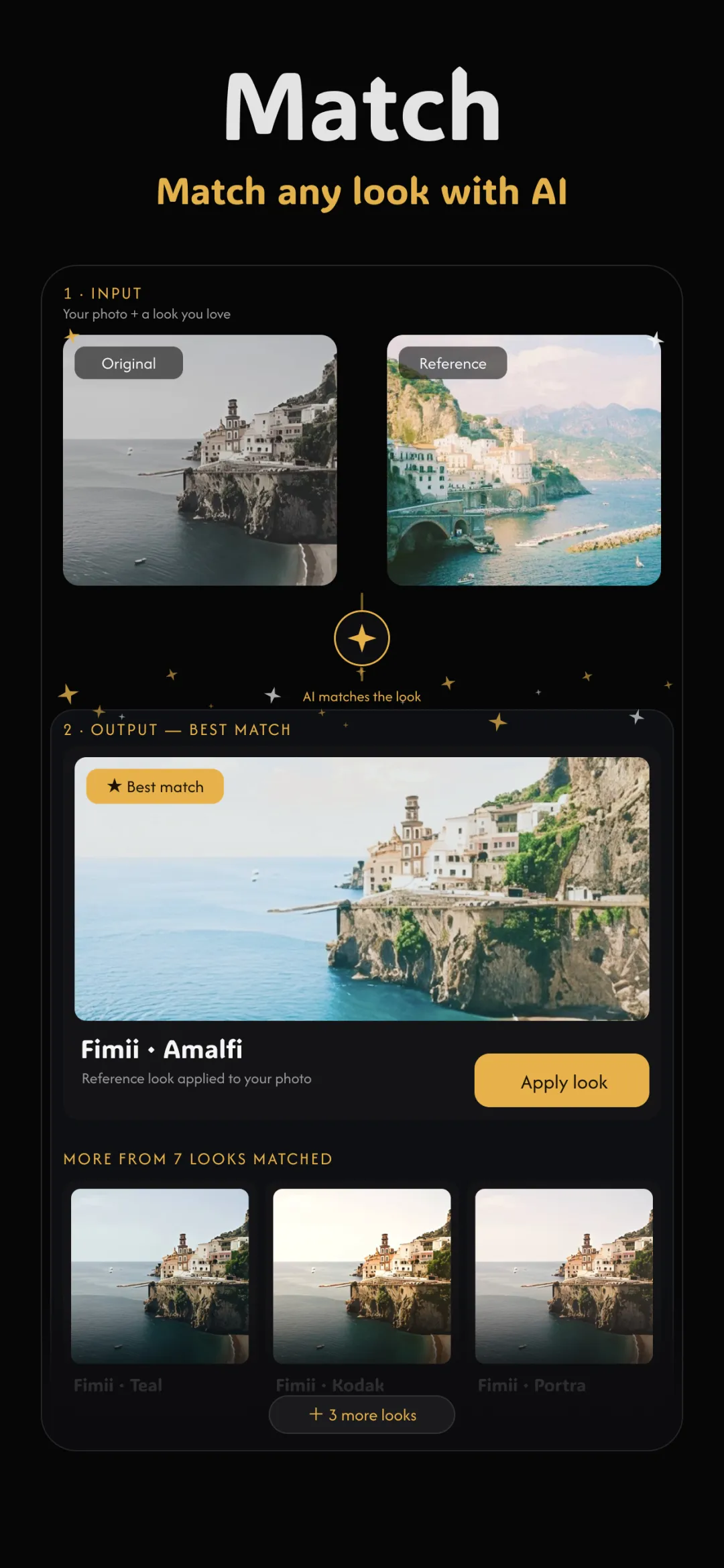
You've seen it: an AI edit that looks impressive at thumbnail size, then falls apart the moment you zoom in. Skin has a plastic sheen, hair melts into the background, an earring is now a smudge. The photo feels off even if you can't name why. This is the core tension in AI editing versus real editing, and it comes down to one choice: did the tool adjust your photo, or redraw it?
What "repainting" really means
Many AI photo apps send your image through a generative model that produces a new image guessing at what the original should look like. It isn't editing your pixels — it's painting fresh ones that resemble them. That guess is often convincing at a glance, but it's a reconstruction, not your photograph. Everything below is a symptom of that one fact.
Why skin is the first thing to break
Human eyes are ruthless about faces. Real skin has pores, fine hairs, subtle unevenness and micro-contrast. A generative model averages all of that into a smooth, waxy surface because "smooth" is the safe guess. The result reads as a mannequin: too even, too soft, strangely lit. It's the single biggest giveaway, and it's exactly what a clean film look for portraits should never do — good portrait editing preserves texture, it doesn't erase it.
Artifacts and invented detail
Because the model is guessing, it fills gaps with things that were never there:
- Warped features — teeth that blur together, an extra crease, a hand with the geometry subtly wrong.
- Hallucinated texture — invented fabric weave, fake foliage, plausible-but-wrong background patterns.
- Lost real detail — the actual freckle, logo or catchlight that made the photo yours, smoothed out of existence.
Individually these are tiny. Together they cross the uncanny line, where a face is almost right and therefore more unsettling than one that's obviously stylized.
It stops being your photograph
Beyond the visible flaws, there's a deeper problem: a repainted image is no longer a record of the moment you captured. The light, the texture, the tiny imperfections that made it real are replaced by a model's idea of them. For anyone who cares about photography — not just "content" — that's the dealbreaker. You wanted your photo to look better, not to be swapped for a different photo.
The honest alternative
The fix is simple: change how the photo looks without redrawing what it is. That means adjusting color and tone through real controls — white balance, tone curves, HSL, color wheels — the exact tools a colorist uses. Your pixels stay put; only their interpretation changes. This is how you can copy a look from a reference photo or match colors between photos without ever entering fake territory.
Doing it in Fimii
Fimii is built around this principle. Its AI look-match analyzes a reference and then moves the sliders to match it — it never repaints or regenerates a single pixel. Because it develops in true 16-bit, including from RAW files, the adjustments stay clean and every real detail — pores, hair, texture — survives untouched. You get the polished look you were after, on a photo that's still genuinely yours and fully editable.
How to spot a fake (and avoid making one)
- Zoom to 100% on the face. Waxy, poreless skin is the tell. Real edits keep texture.
- Check edges and hands. Melting hairlines and warped fingers mean pixels were regenerated.
- Ask if it's still editable. If you can't open a panel and see what changed, the app baked a guess in. Slider-based edits stay adjustable and honest.
Fimii matches any look by moving real sliders — never by repainting — so skin, texture and detail stay real. Free to download, one-time unlock, no subscription.
Get Fimii — free to download