Home › Guides › What AI look-match does
What AI Look-Match Actually Does
Short answer: Fimii's AI look-match looks at a reference photo, figures out its color and tone, and moves your real edit sliders — white balance, curves, HSL, wheels — to match it. It does not repaint, regenerate, or invent any pixels. Your photo stays your photo; you just get a smart starting point you can adjust.
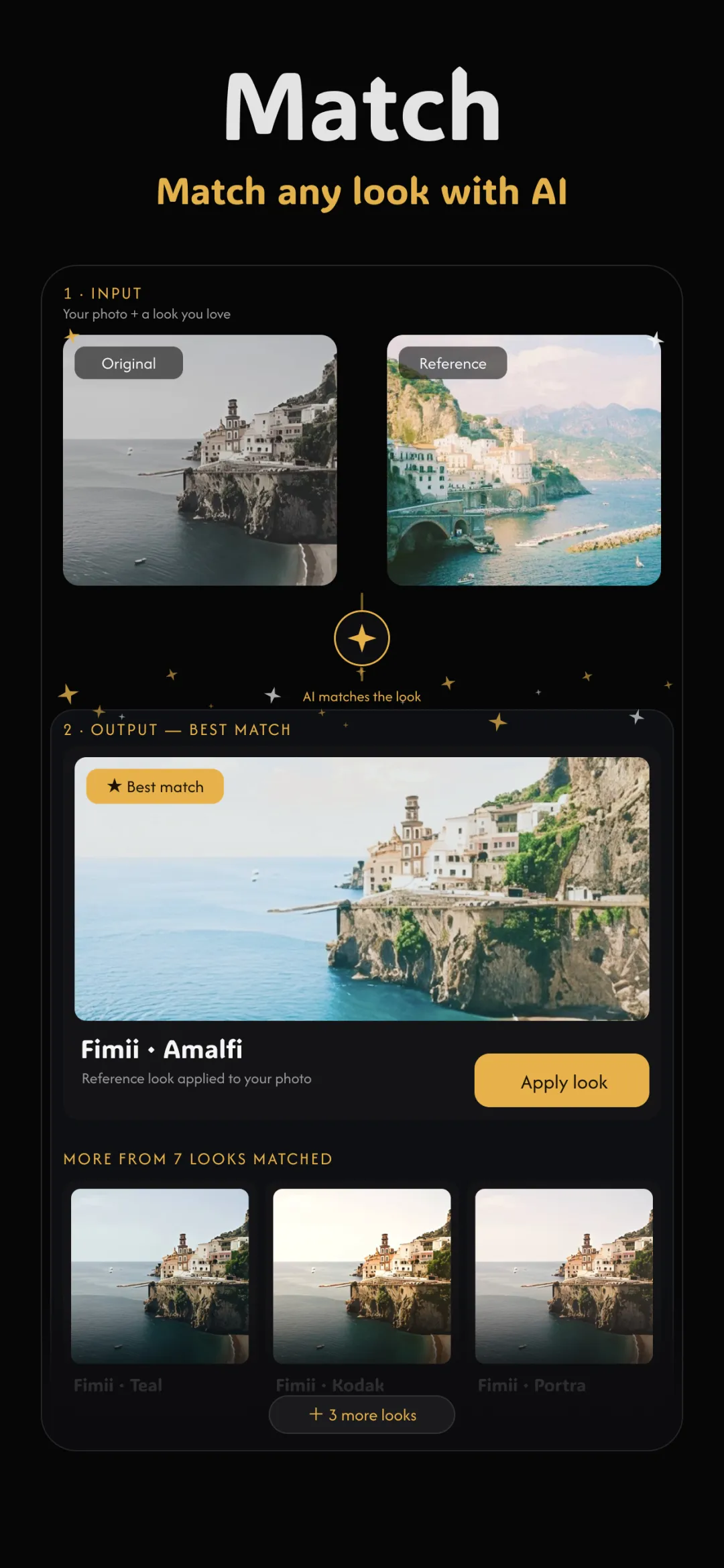
"AI photo editing" has become a confusing phrase. For some apps it means a model that redraws your image from scratch — new skin, new sky, new details that were never there. Fimii's AI look-match is a different thing entirely, and the distinction is the whole point of AI editing versus real editing. This guide explains exactly what look-match does, and just as importantly, what it deliberately does not do.
What "look-match" actually means
A look is the combination of color and tone that gives a photo its mood: how warm or cool it is, how contrasty, where the shadows sit, how saturated the greens are, whether skin leans peachy or neutral. Look-match is the job of taking a reference image you admire and reproducing that recipe on your own photo — the same way a colorist would study a still and then dial it in by hand.
What it actually does: it moves the sliders
When you hand Fimii a reference, the AI analyzes it and then does something refreshingly literal: it sets your normal editing controls to values that recreate that look. Think of it as an experienced editor reaching over and adjusting the panel for you:
- White balance shifts to match the reference's warmth and tint.
- Tone curves bend to match its contrast and how lifted or crushed the blacks are.
- Color wheels (lift/gamma/gain) nudge to match the color in shadows, mids and highlights.
- HSL shifts individual hues so greens, blues and skin land where the reference has them.
Every one of those is a real, visible control you already have. After the match runs, you can open any of them, see exactly what changed, and keep tuning — because the AI only filled in the sliders. This is the same toolkit you'd use when you match colors between photos or copy a look from a reference photo by hand, just with the tedious first pass done for you.
What it does not do
This is where Fimii draws a hard line. Look-match never:
- Repaints or regenerates the image. No pixels are invented, redrawn, or replaced. Your photo is exactly the one your camera captured.
- Touches content. It won't smooth skin into plastic, reshape faces, swap skies, or hallucinate detail that wasn't in the frame.
- Lock you out. There's no baked-in result you can't undo. Every value is exposed and editable.
In other words, it adjusts how your real pixels are interpreted — it never manufactures new ones. That's why the result still looks like a photograph and not a painting of one.
Why moving sliders is the smarter approach
A slider-based match has three big advantages over a regenerated image. First, it's honest: the photo remains a true record of the moment. Second, it's editable — if the match makes skin a touch too warm, you nudge white balance a hair and everything else stays put. Third, it's non-destructive, so you can dial the whole effect up or down, or reset one control, without re-cooking the entire image. A regenerated photo gives you a single take-it-or-leave-it result; a slider match gives you a fully adjustable edit.
Doing it in Fimii
Open your photo, choose a reference, and run look-match. Fimii reads the reference and populates white balance, curves, wheels and HSL to match. Because Fimii develops in true 16-bit — including straight from RAW files — those slider moves stay clean, with no banding in skies or gradients. From there it's a normal edit: open any panel, see the values the AI chose, and refine to taste. Nothing is hidden and nothing is permanent.
Things to know
- A good reference matters. Match works best when the reference is lit somewhat like your photo. Matching a bright beach shot to a dim indoor one asks the sliders to do too much.
- Treat it as a starting point. The AI gets you 90% there in a second; the last 10% is a quick manual nudge, and that's a feature, not a flaw.
- It won't fix content problems. Look-match is about color and tone. Blur, missing detail or a distracting background are not its job — and it won't pretend otherwise by inventing pixels.
Fimii's AI look-match sets your real sliders to match any reference — then hands you full control. No repainting, no fakery. Free to download, one-time unlock, no subscription.
Get Fimii — free to download